
Questions before
you build with PitchPrint
Clear answers about setup, storefront integrations, customer customization, AI tools, 3D previews, production files, and choosing the right workflow.
Browse by topic
Common questions, grouped by workflow
Use these answers to understand where PitchPrint fits in your storefront, what customers experience, and how orders move into production.
Getting started
What is PitchPrint?
PitchPrint is a web-to-print platform that lets ecommerce stores sell customizable products online. Customers personalize products in the browser, preview the result, and the store receives production-ready files for fulfillment.
How does PitchPrint work from start to finish?
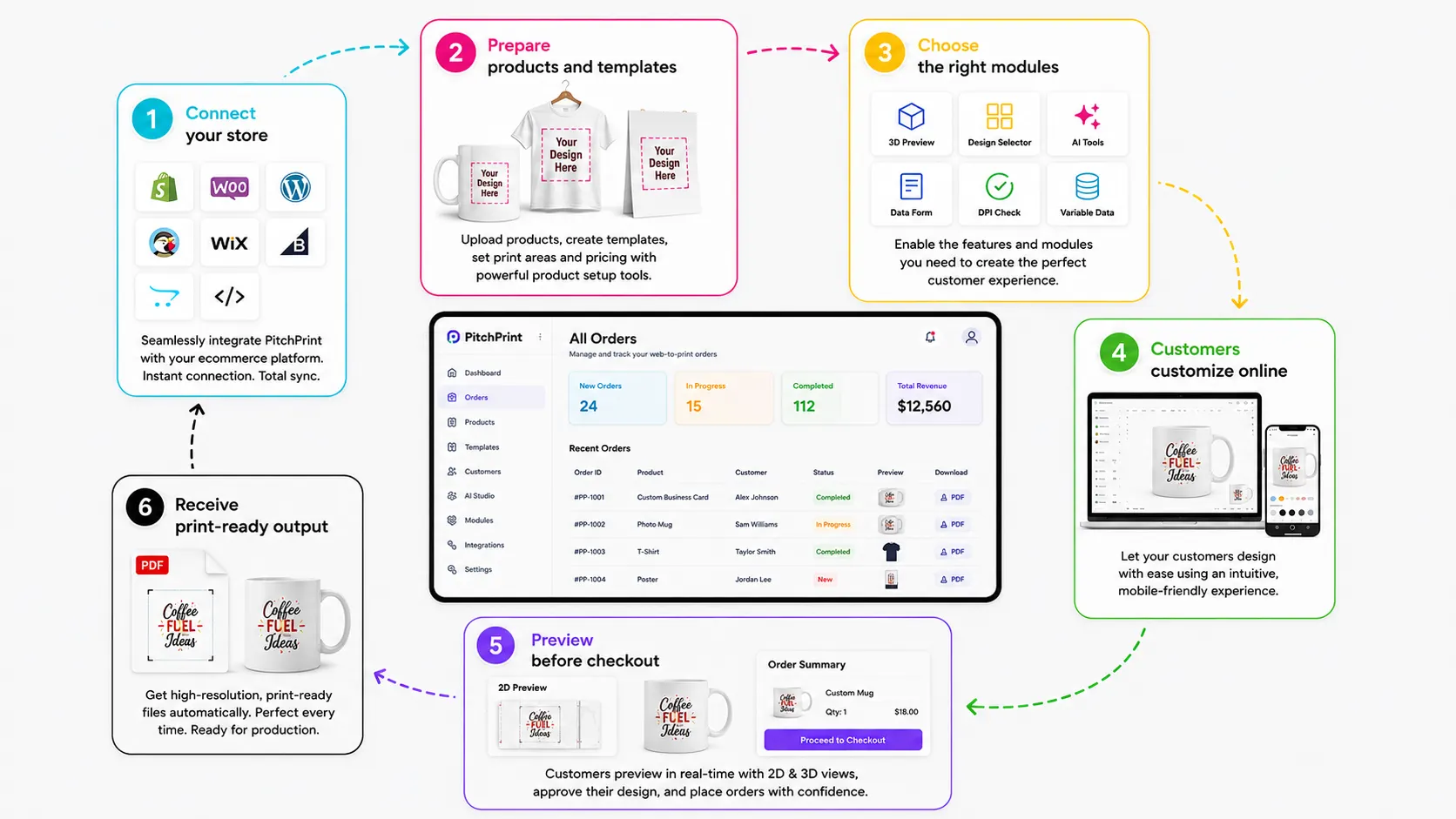
You connect PitchPrint to your store, create or assign product templates, configure the editor experience, let customers customize products online, and receive print-ready output when orders are completed.
How long does setup usually take?
Most standard plugin setups can be completed quickly once products and templates are ready. More advanced workflows, such as custom integrations, complex templates, automation, or 3D setup, can take longer depending on the store requirements.
Do customers need to download software?
No. Customers design directly inside the browser using the PitchPrint editor on the storefront product page.
Integrations
Which ecommerce platforms does PitchPrint support?
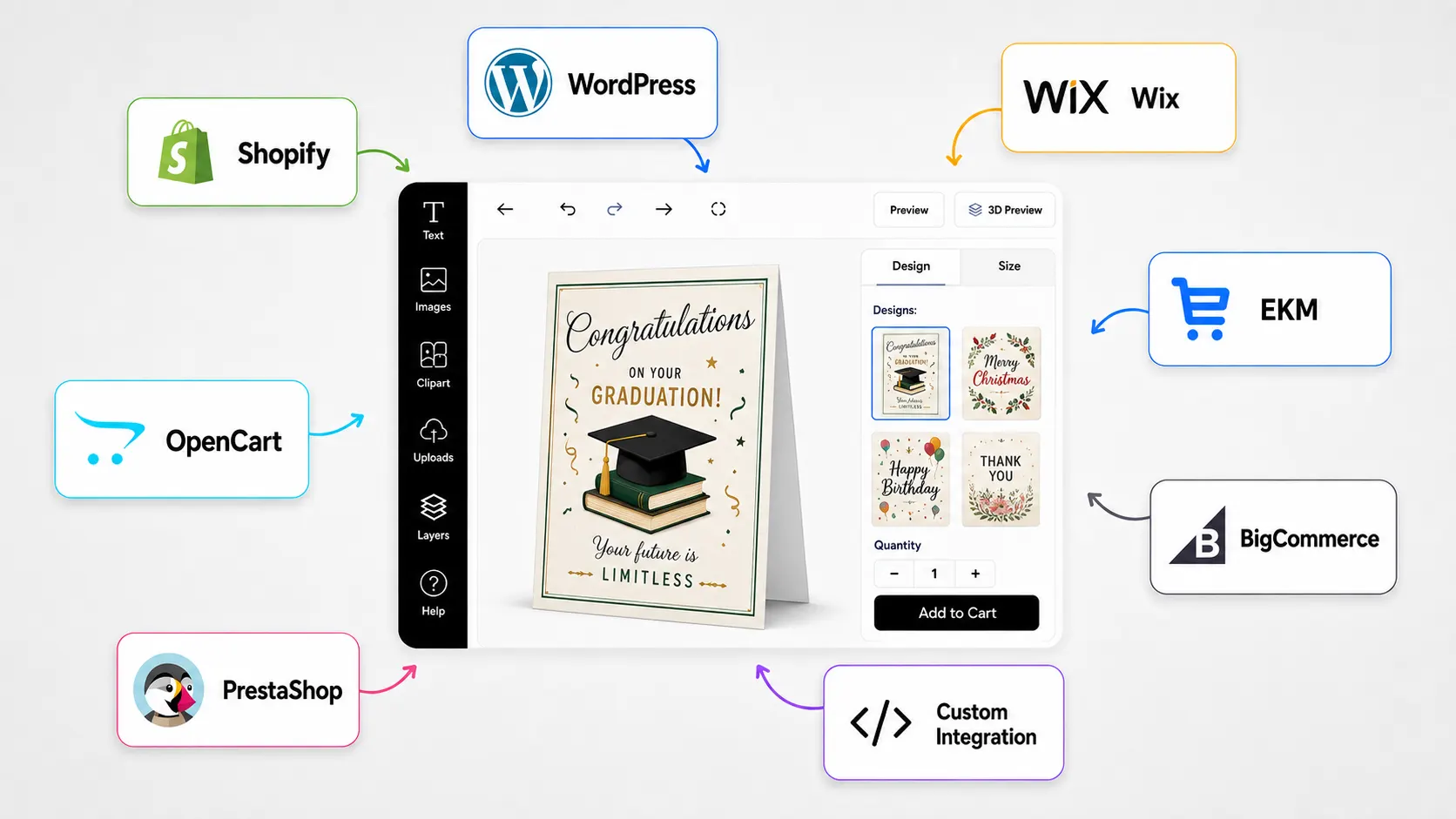
PitchPrint supports Shopify, WordPress and WooCommerce, OpenCart, PrestaShop, Wix, and custom integration workflows.
Can PitchPrint work with a custom storefront?
Yes. Custom integration options are available for teams that need to connect PitchPrint to a bespoke ecommerce experience, headless storefront, or custom ordering flow.
Can I use different PitchPrint workflows on different products?
Yes. Products can use different templates, display modes, modules, resources, pricing logic, and customization flows depending on what is being sold.
Does PitchPrint support automation with other systems?
Yes. Webhooks and integration tools can help connect PitchPrint events and order data to external systems such as fulfillment tools, ERPs, CRMs, or custom production workflows.
Editor and customization
What can customers customize in the editor?
Customers can edit text, upload images, choose templates, apply colors, select swatches, use forms, switch layouts, add photos, and use configured AI tools depending on the product setup.
Can the editor match my storefront branding?
Yes. App styling, custom layouts, custom CSS, JavaScript, colors, fonts, and interface settings can be used to align the editor with your brand and storefront experience.
Can customers choose from multiple designs?
Yes. The Design Selector Module lets customers browse related templates inside the editor and switch designs without leaving the product page.
Can I make customization simpler for non-designers?
Yes. Data Form Module, Template Color, Swatches, Smart Sizes, and guided templates help customers personalize products without needing to edit every element manually.
Products and modules
What product types can PitchPrint support?
PitchPrint can support stationery, photo prints, promotional items, large prints, product casings, apparel, packaging, signage, labels, cards, gifts, and many other customizable products.
How does PitchPrint handle custom product sizes?
Canvas Adjuster allows customers to choose preset sizes or enter custom dimensions for products such as banners, signs, decals, canvas prints, and other flexible-format products.
Can PitchPrint support multi-page products?
Yes. Features like Page Count, Bulk Photo Prints, Variable Data, and multi-page templates help manage products such as photo books, catalogs, booklets, albums, and menus.
Can products have front and back designs?
Yes. The Single or Double Sided Module can load the correct number of editable pages based on whether customers choose one-sided or two-sided printing.
AI, resources, and 3D
What AI features are available?
PitchPrint includes AI tools such as background removal, AI Imaginate text-to-image generation, sketch-to-image, upscaling, image enhancement, smart replace, outpaint, structure tools, and text edit workflows.
Can customers use stock photos inside the editor?
Yes. Pixabay Photo Integration gives customers access to royalty-free images and illustrations directly inside the design editor.
Can I use Google Fonts or custom brand fonts?
Yes. Google Fonts and custom typography support lets admins curate fonts for customers and upload proprietary font files for brand-specific designs.
Does PitchPrint support 3D product previews?
Yes. Interactive 3D Product Preview lets customers inspect personalized products from multiple angles before placing an order.
Production and output
Do we receive print-ready files?
Yes. PitchPrint generates high-resolution print-ready PDF output after customer customization, reducing manual file preparation and artwork back-and-forth.
Are text and graphics exported sharply?
Yes. Print-ready vector PDF output helps keep text, shapes, SVG elements, logos, and vector graphics sharp at production size.
Can PitchPrint handle variable data output?
Yes. Variable Data lets users upload CSV or Excel files, map records into templates, and generate multi-page PDFs or individual print-ready files.
Can completed projects be managed later?
Yes. Admin tools allow teams to view and manage projects, review customer activity, organize work, and manage completed or active designs from the dashboard.
Plans and trial
Is there a free trial?
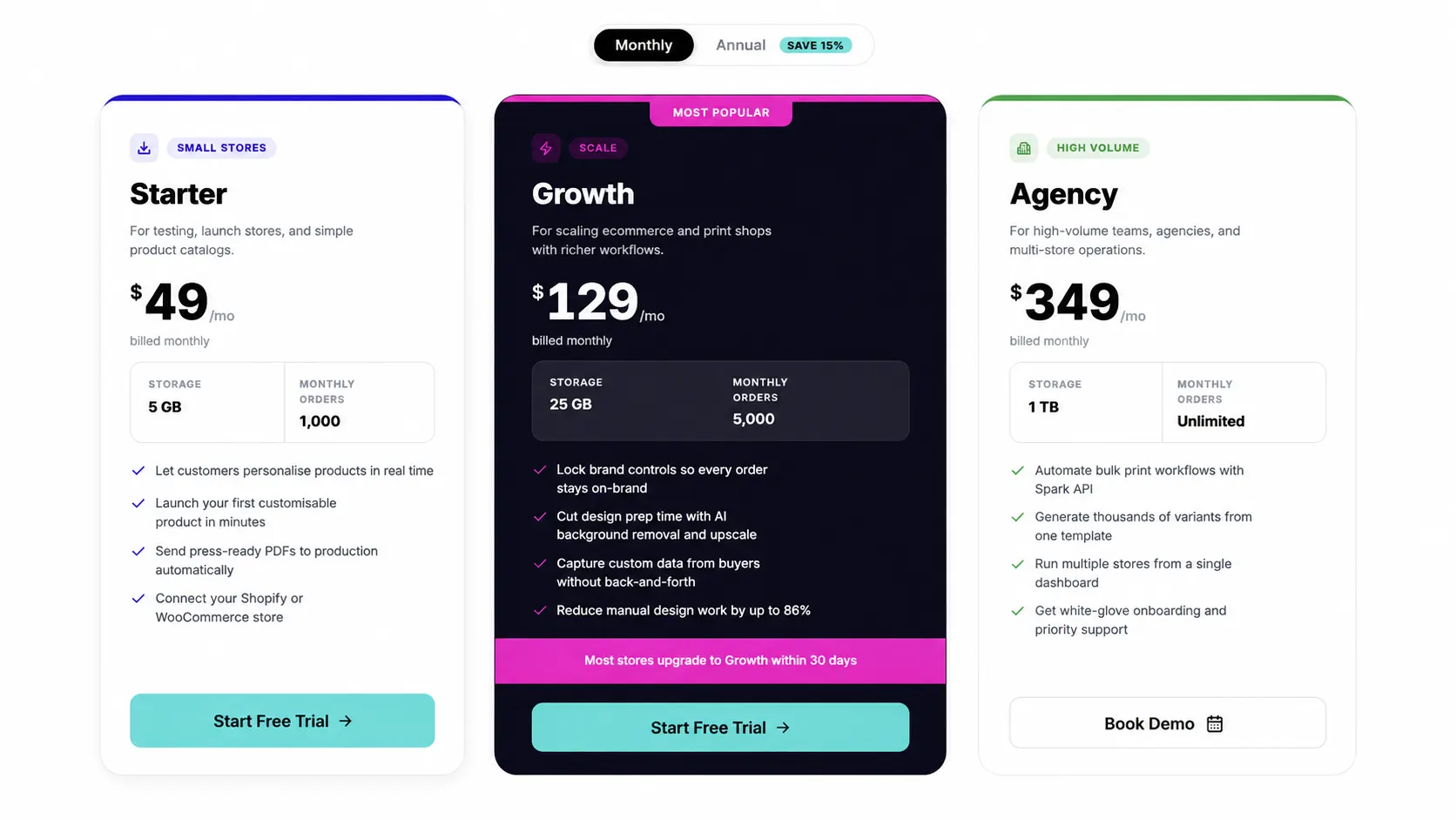
Yes. PitchPrint offers a free trial so teams can test the editor, dashboard, product setup, and core customization workflow before committing.
Do I need a credit card to start?
The pricing page highlights a no-credit-card trial path. You can start evaluating the platform before choosing a paid plan.
Can I book a demo before starting?
Yes. You can book a demo to review your product types, storefront platform, production workflow, and the best PitchPrint setup for your store.
Which plan should I choose?
The best plan depends on your order volume, feature needs, product catalog, integrations, and whether you need advanced modules, automation, AI features, or custom setup help.
Still exploring?
Start with these
A few useful places to go next depending on whether you are planning, comparing, or ready to test.
-
How It Works
See the full web-to-print workflow from storefront setup to print-ready output.
Learn more -
Integrations
Find setup pages for Shopify, WordPress, OpenCart, Wix, PrestaShop, and custom integrations.
Learn more -
Ready to Start?
Launch personalized products without the usual setup drag
Start with the core editor, connect the ecommerce stack and give shoppers a polished customization flow.
- 14 day free trial
- No credit card required
- Production-ready files
- Works with Shopify, WooCommerce