
3D
Models
Display customizable products as interactive 3D objects so customers can preview artwork from multiple angles before purchase.
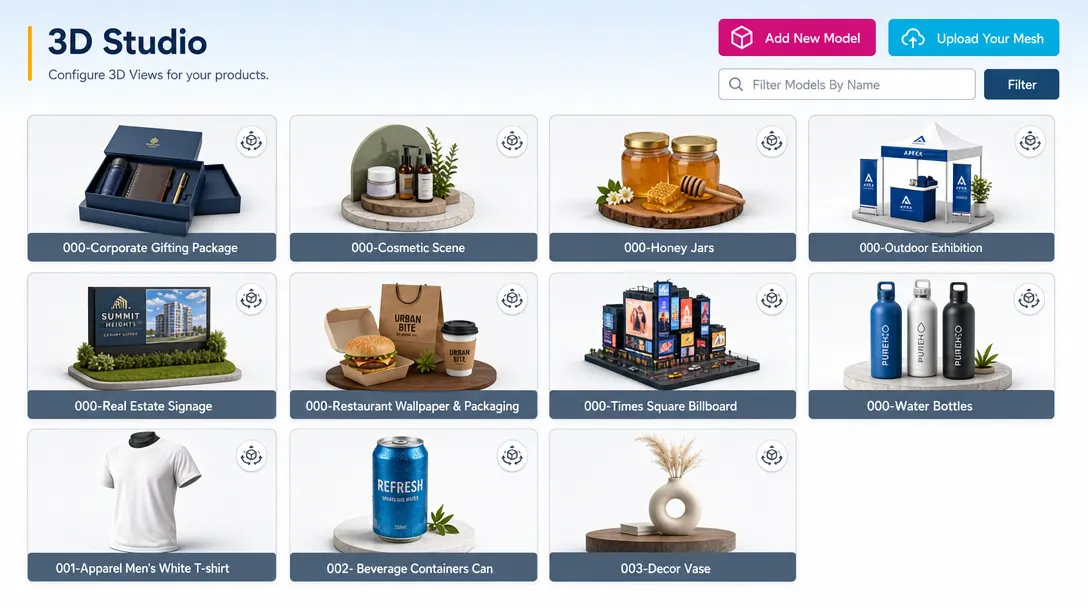
Show your customers exactly what they are buying
Selling 3D products like bottles or boxes with flat images is hard. Our 3D preview tool lets customers see their design wrap and fold around the product in real time. This builds trust and lowers your return rate.
3D previews for
shape-driven products
Coffee Tumblers: See exactly how a logo wraps around the curved stainless steel surface.
Beverage Cans: Spin the can to check how the branding looks from every side of the aluminum.
Gift Boxes: Watch the box fold to ensure the design isn't upside down on the lid or flaps.
Book Covers: Preview the spine and back to make sure the title text is perfectly centered.
Cosmetic Jars: See how a label looks on a 3D glass jar before the customer hits the buy button and many more products...
Preview the finished product
before production
-
Interactive View
Customers can spin and zoom to see their work from every possible angle.
-
Realistic Scenes
Show the product in a real setting, like a jar sitting on a bathroom shelf.
-
True to Life Wrapping
See exactly how a logo wraps around a curve or a corner before it’s printed.
-
Fewer Returns
Setting clear expectations upfront builds buyer confidence and significantly reduces post purchase returns.
More confidence
from every angle
3D previews help customers understand personalized products before they commit to an order.
- 3D
More engaging shopping
Creates a more interactive shopping experience for customizable products.
- View
Higher confidence
Improves customer confidence with realistic product previews from multiple angles.
- Less
Fewer placement errors
Reduces design placement errors and order mistakes before production begins.
- Many
Flexible product fit
Ideal for apparel, packaging, drinkware, phone cases, promotional items, and many more categories.
Set up 3D product previews
Review 3D model guidance or test interactive previews with your own customizable products.
View Documentation
Full API reference, integration guides, and code examples for developers.
Try It For Free
Spin up a free account and test this feature on your own products in minutes.
Create Your Account
No credit card required. Start customizing products in minutes.
3D previews for
shape-driven products
Use 3D models where customers need to see how artwork fits around product surfaces.
-
Custom Apparel
Let customers preview graphics, logos, and names wrapped around shirts, hoodies, or jerseys.
Try it out Loading editor -
Drinkware
Show mug, bottle, or tumbler artwork from multiple angles before checkout.
Try it out Loading editor -
Phone Cases
Help customers visualize artwork placement across case edges, corners, and surfaces.
Try it out Loading editor
FAQ
3D Models questions
What does the 3D Models do?
Display customizable products as interactive 3D objects so customers can preview artwork from multiple angles before purchase.
How does the 3D Models work?
Selling 3D products like bottles or boxes is difficult with flat images alone. PitchPrint's 3D preview tool lets customers see their design wrap and fold around the product in real time, which builds trust and lowers your return rate.
Who should use the 3D Models?
3D previews help customers understand personalized products before they commit to an order.
More tools for
visual customization
-
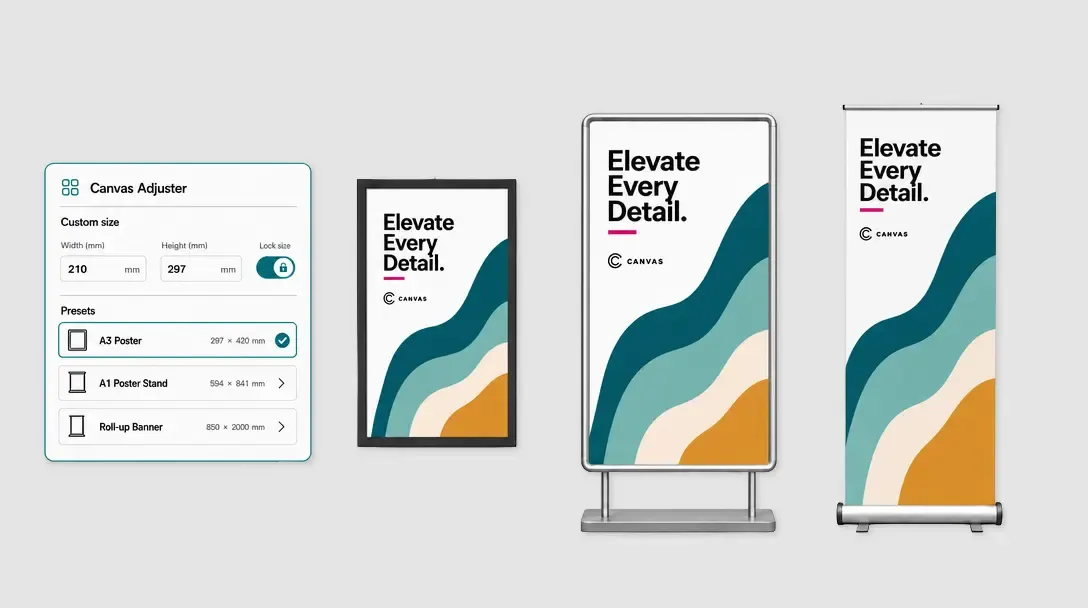
Canvas Adjuster
Resize the editor canvas for custom-size print products and large-format orders.
Learn more -
-
Print-Ready Vector PDFs
Export customer artwork as scalable, production-ready vector PDF files.
Learn more