
Simplify Customization with the PitchPrint Data Form Module
If you want to offer customization without the headache of a complex editor, the PitchPrint Data Form Module turns your design into a simple, easy-to-use form.
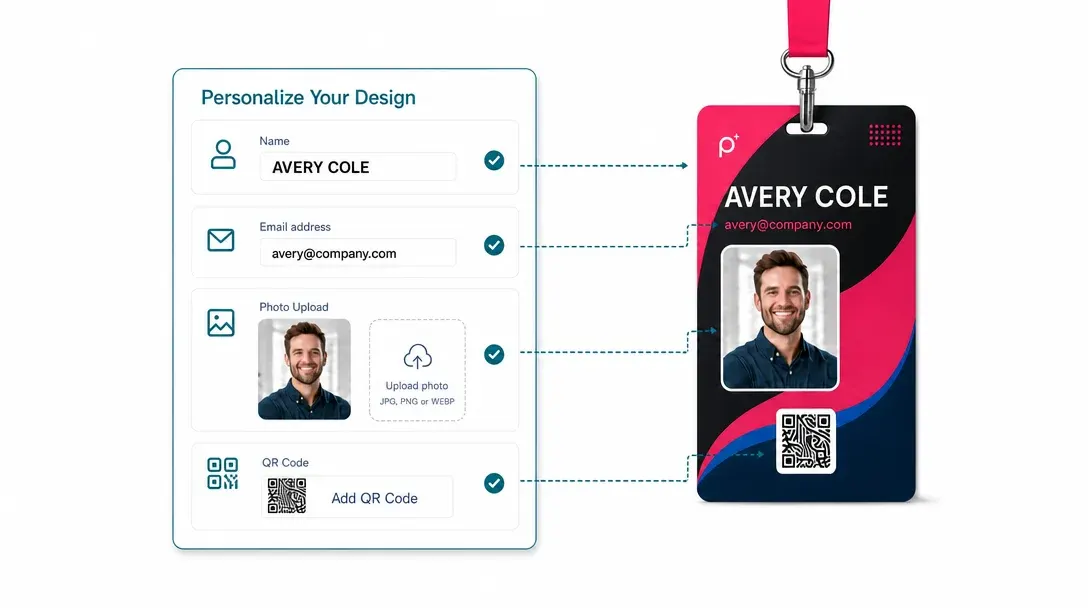
A simple form instead
of drag-and-drop editing
Whether you offer Business cards, ID badges, Pens, Notepads, Gift certificates, Wedding invitations, Menus, or Flyers, the PitchPrint Data Form Module makes product customization fast and effortless.
Instead of using a complex design editor, customers simply fill out an intuitive form to personalize their order. Collect names, dates, contact details, and other custom information accurately, while providing a faster and more user-friendly ordering experience.
Built for products where
the layout should stay fixed
Business Cards: Ensure names and contact details are always in the right place.
ID Cards & Badges: Keep photos and text perfectly aligned within your branded layout.
Stationery: Let customers personalize their details without messing up the design.
Wedding Invitations: Make it easy for couples to input names, dates, and venues without shifting the elegant design.
Apparel: Let customers add names, numbers, or sizes for custom sports jerseys and team wear.
Roll Up Banners: Keep key event information and branding neatly positioned on large-format prints and many more products...
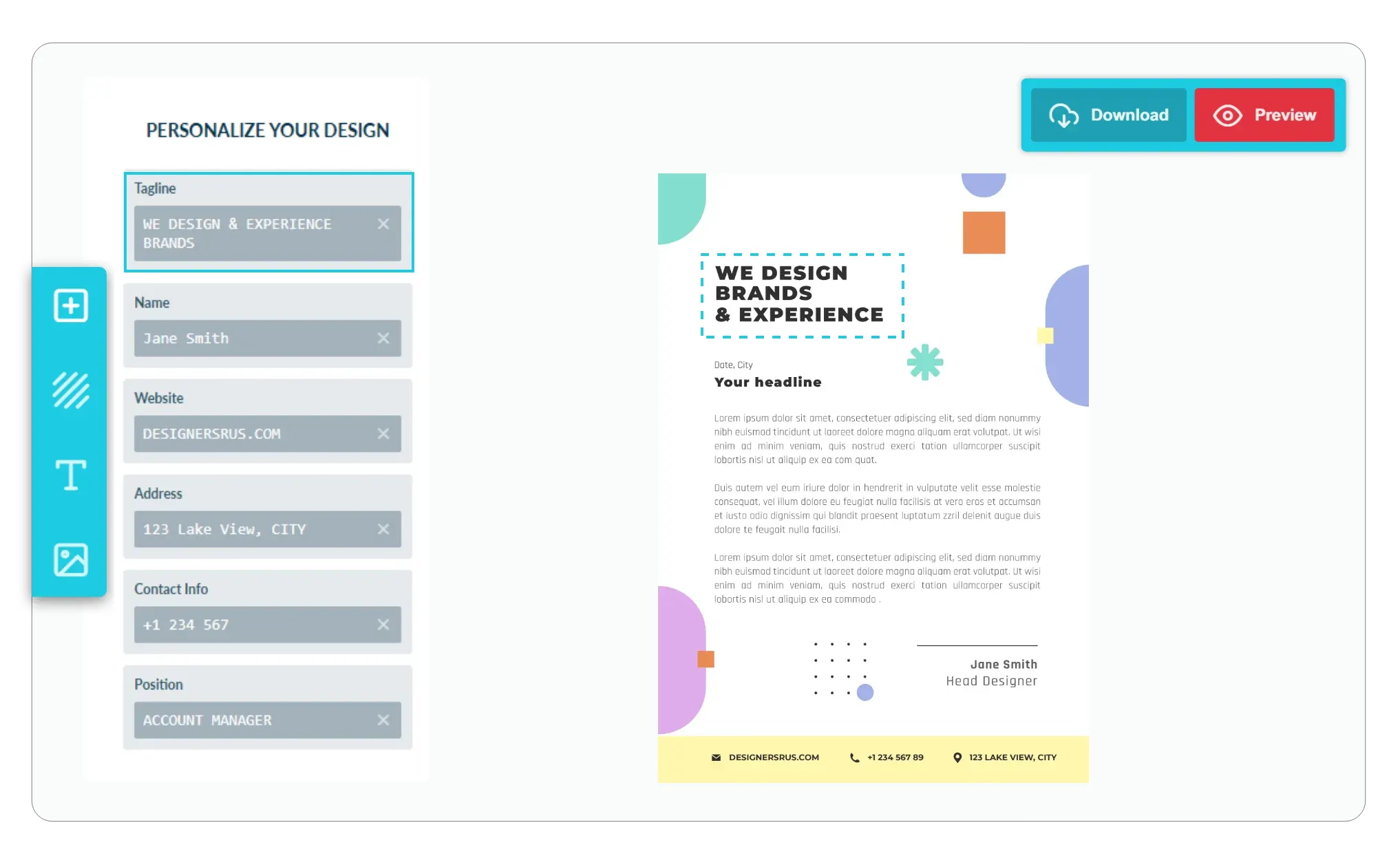
Simple customization
with protected layouts
-
Keep Your Designs Locked Down
You want your branding to stay professional. Customers can edit their text through the form without accidentally moving or resizing elements on the canvas.
-
Focus on What Matters
You have total control. Set custom titles for every element, like Job Title or Phone Number, so the form is intuitive and easy for customers to fill out.
-
Create a Distraction-Free Experience
You can choose to enable only the form, hiding all other editing tools for simple products like business cards or ID tags.
-
Faster Checkout
By simplifying the process, you remove the blank canvas intimidation so customers are more likely to complete their purchase.
A cleaner path
from personalization to checkout
With a form-first workflow, customers focus on their information while your template keeps the final design consistent.
- Locked
Designs stay professional
Customers fill in details without accidentally changing the layout.
- Clear
Forms are easy to follow
Custom field titles help customers understand exactly what to enter.
- Fast
Checkout feels simpler
A focused form removes friction for simple personalized products.
- Fit
Built for structured products
Business cards, ID badges, and stationery stay aligned within the branded template.
How to Get Started
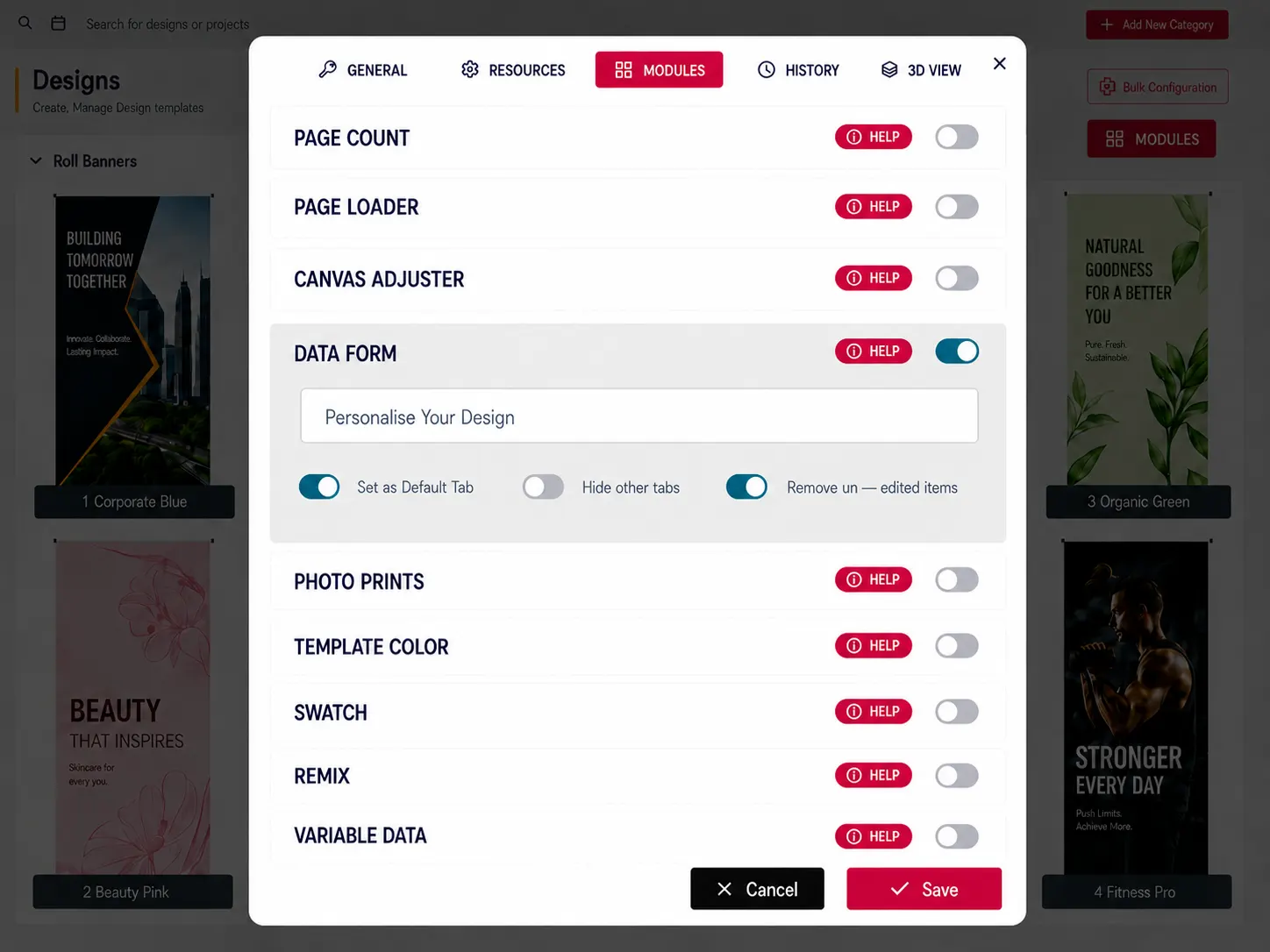
The Data Form Module is a powerful, premium feature that streamlines your workflow and improves the customer experience. You can enable this module under the Modules tab in your PitchPrint dashboard today.
View Documentation
Full API reference, integration guides, and code examples for developers.
Try It For Free
Spin up a free account and test this feature on your own products in minutes.
Create Your Account
No credit card required. Start customizing products in minutes.
FAQ
Data Form Module questions
What does the Data Form Module do?
If you want to offer customization without the headache of a complex editor, the PitchPrint Data Form Module turns your design into a simple, easy-to-use form.
How does the Data Form Module work?
Whether you offer Business cards, ID badges, Pens, Notepads, Gift certificates, Wedding invitations, Menus, or Flyers, the PitchPrint Data Form Module makes product customization fast and effortless. Instead of using a complex design editor, customers simply fill out an intuitive form to personalize their order. Collect names, dates, contact details, and other custom information accurately, while providing a faster and more user-friendly ordering experience.
Who should use the Data Form Module?
With a form-first workflow, customers focus on their information while your template keeps the final design consistent.
More modules
for guided workflows
-
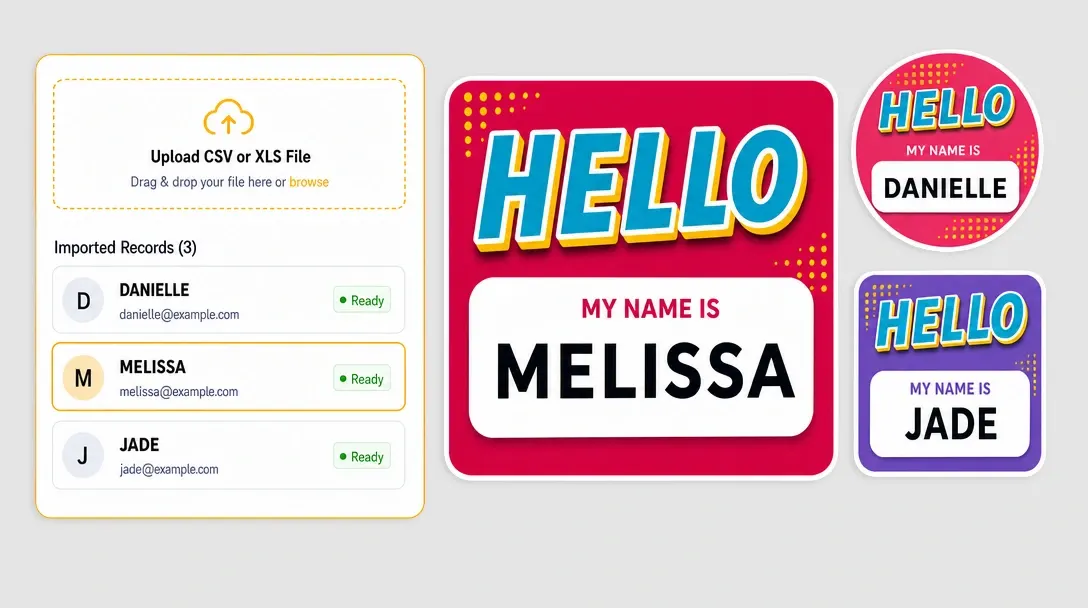
Variable Data
Upload CSV or Excel records to create personalized output from one master template.
Learn more -
Design Observables
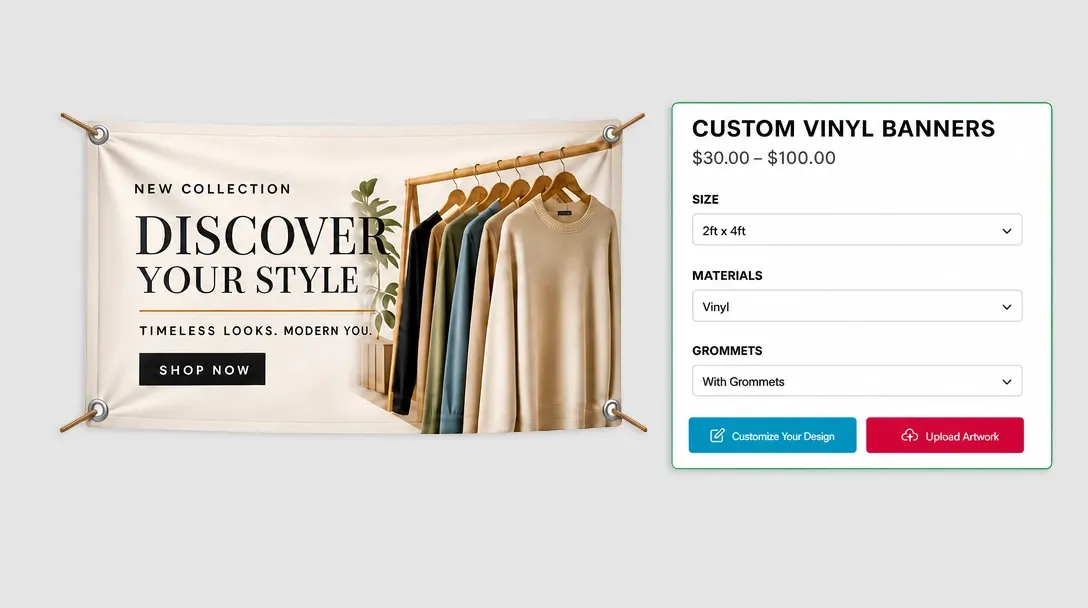
Load the right template automatically based on selected product options.
Learn more -
Single / Double Sided
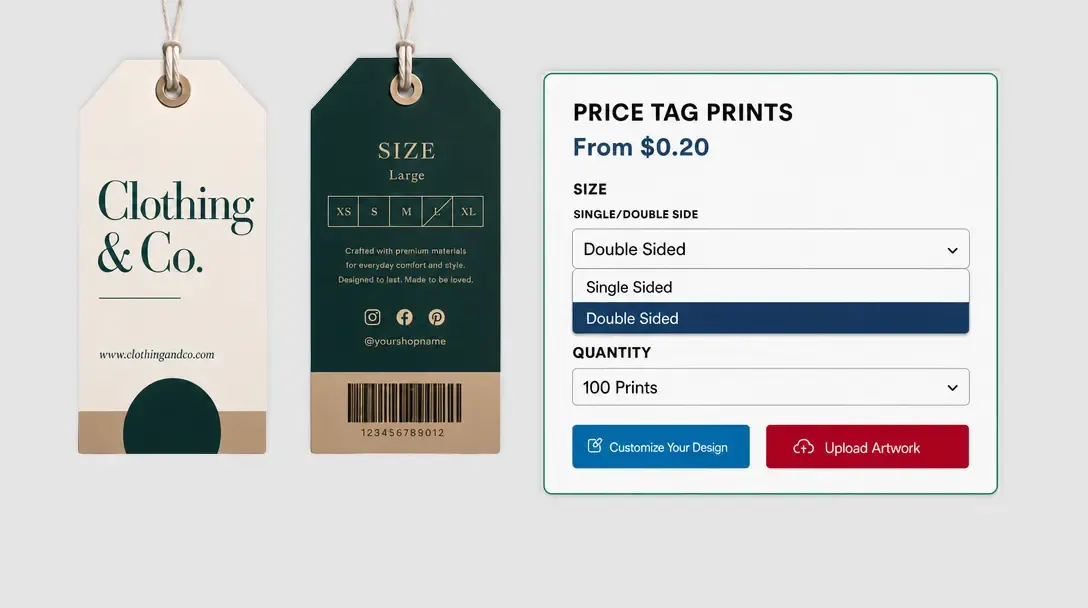
Let customers choose one-sided or two-sided printing before the editor opens.
Learn more