Simplify Customization with the PitchPrint Canvas Adjuster Module
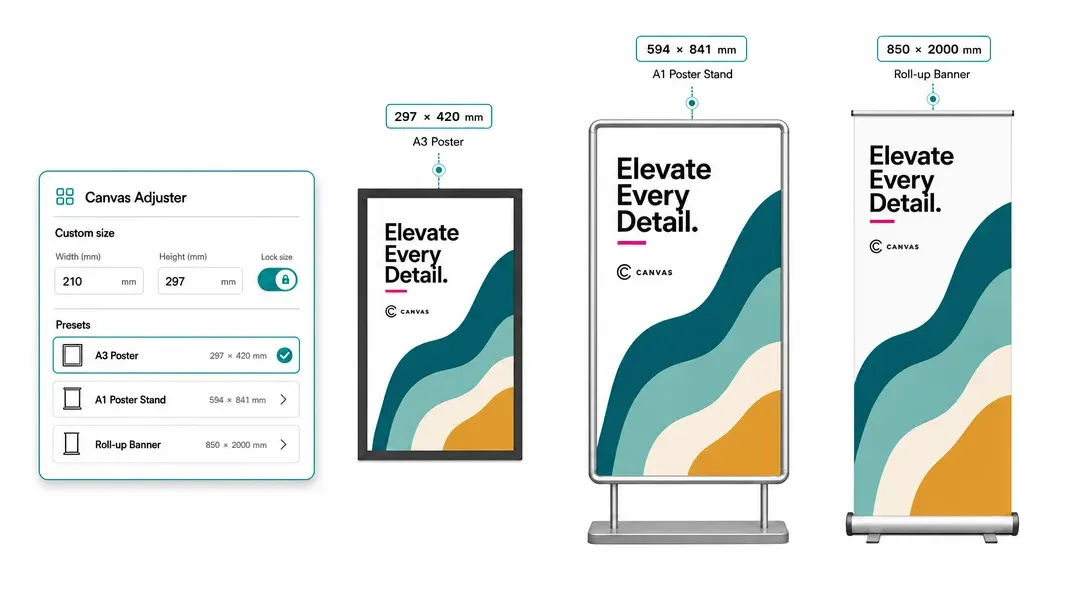
Let customers choose preset or custom dimensions while PitchPrint resizes the editor canvas and keeps custom-sized ordering clear.
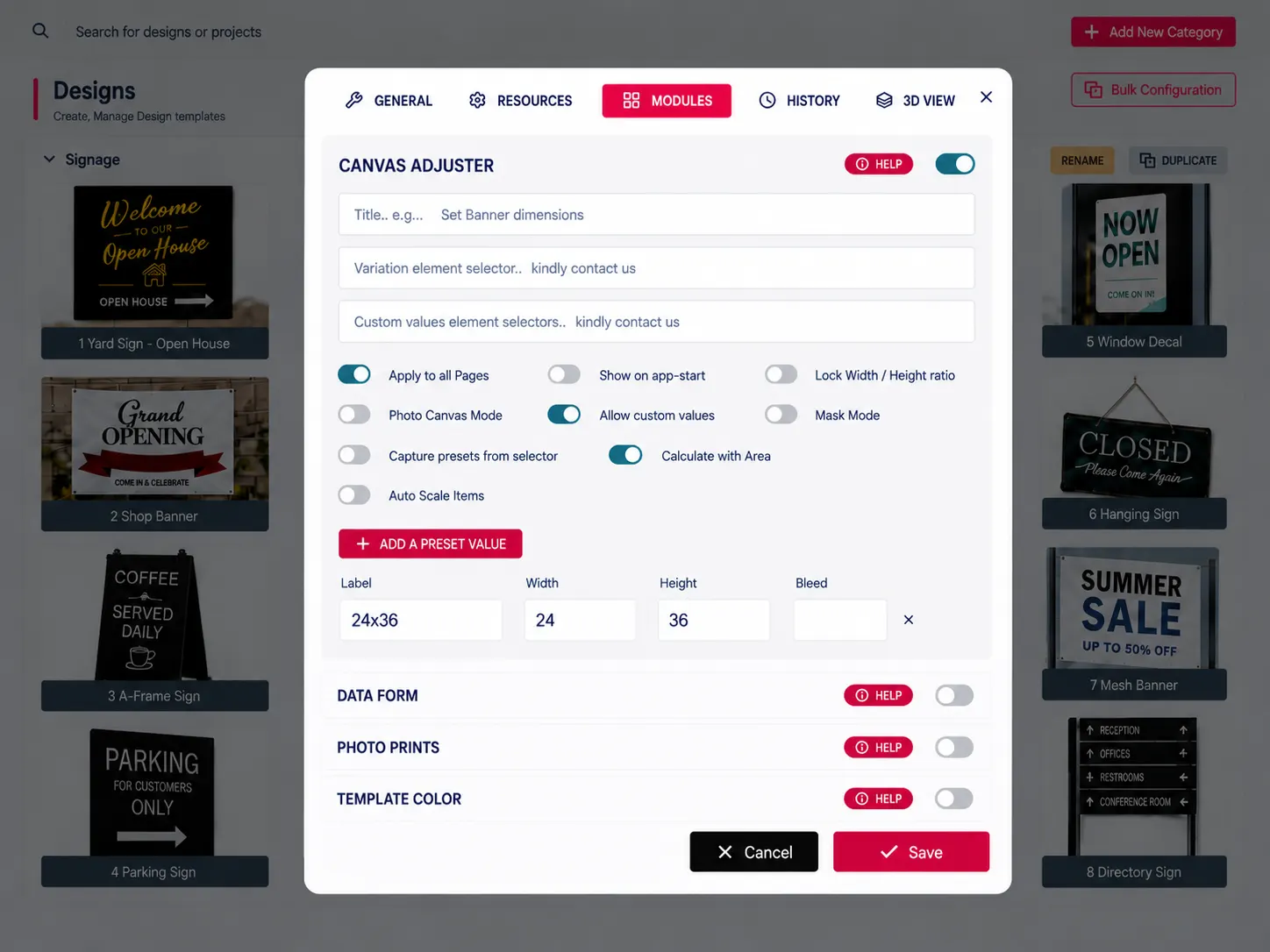
Custom dimensions that reshape the editor
Do you sell custom Wallpaper murals, Floor mats, Runner rugs, Retail window decals, Rraming mats, Acrylic table toppers, Truck mudflaps, Trade show banners, or Acoustic wall panels?
The PitchPrint Canvas Adjuster Module lets you offer custom sizing without creating hundreds of design templates. A single template automatically adapts to your customer's selected dimensions, saving time, reducing errors, and streamlining your workflow.
Perfect for print shops, sign makers, and eCommerce businesses selling custom-sized products.
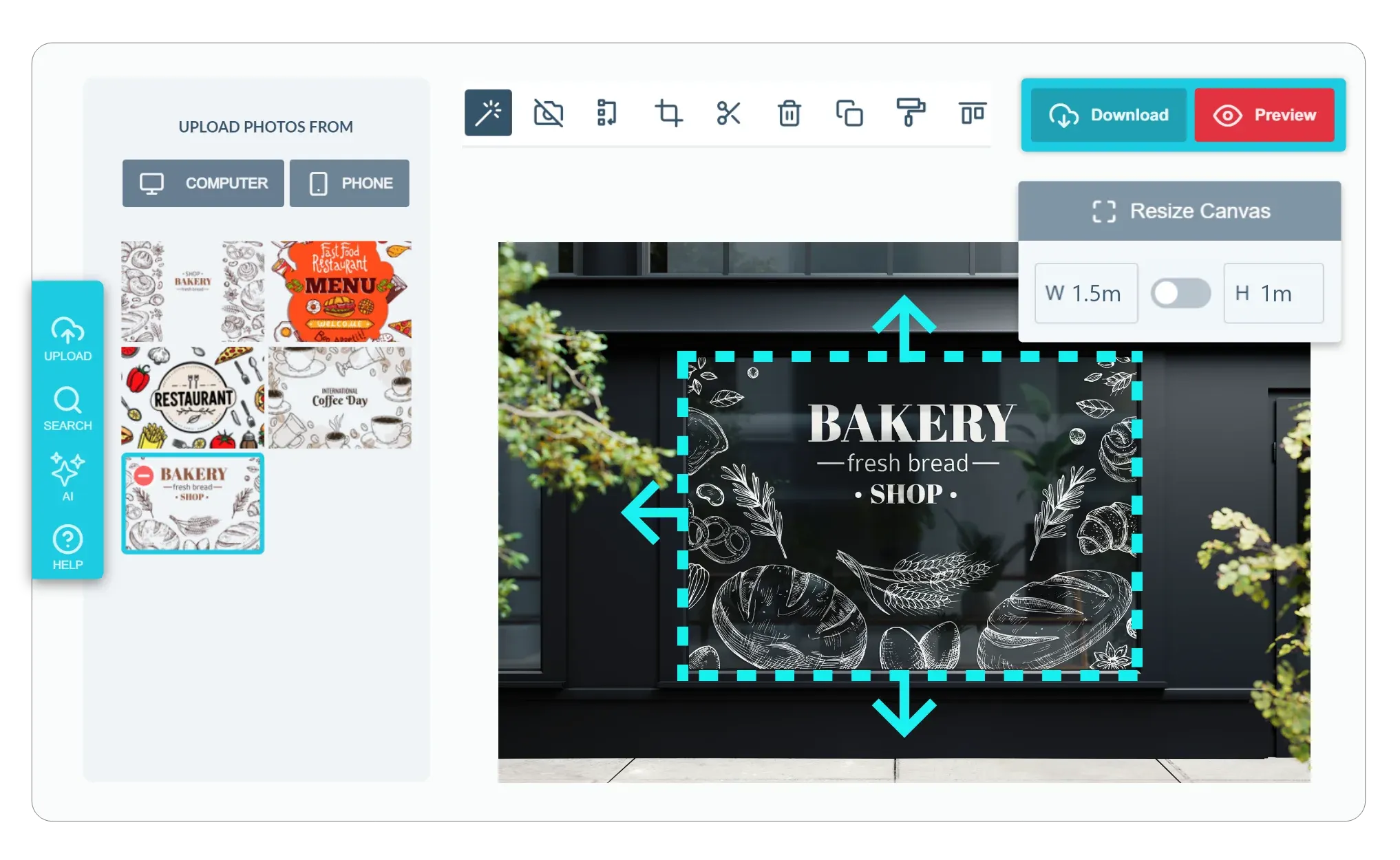
Instead of forcing your customers to work within a single rigid dimension, this module lets them change the canvas size before or during the design process.
Built for products where
the layout should stay fixed
Bespoke Wallpaper Murals: Scale seamless mural graphics to custom wall dimensions.
Floor Mats & Runner Rugs: Center monogrammed logos on custom runner mat dimensions.
Retail Storefront Window Decals: Scale window decal designs to custom storefront dimensions.
Custom Framing Mats (Matboards): Adapt framing mat borders to custom artwork sizes.
Acrylic Table Toppers & Protectors: Reposition branding borders on custom table protector sizes and many more products...
Flexible dimensions
with an exact canvas fit
-
Support Custom and Preset Sizes
Give your customers absolute flexibility. You can set up a list of standard preset dimensions for them to choose from, or allow them to input their own custom measurements to fit their exact specifications.
-
Dynamic Two-Way Pricing Sync
Keep your pricing accurate. The module automatically syncs with your product pages size selector. When a customer changes the canvas size in the editor, your product page price updates on the fly based on the chosen dimensions or total square area.
-
Scale Layouts Proportionally
You want your designs to stay balanced. With features like Lock Aspect Ratio and proportional auto-scaling, design elements and grouped items adjust dynamically when the canvas is resized, helping to ensure a clean layout.
-
Faster Checkout for Custom Sizes
By letting customers configure dimensions directly in the design panel, you remove the complexity of handling bespoke size requests manually. When getting a custom-sized print is this straightforward, customers are much more likely to complete their purchase.
Large-format orders
without size guesswork
Canvas Adjuster turns custom dimensions into a smooth design and ordering workflow.
- Flex
Non-standard sizing
Support print products that cannot be limited to a short fixed size list.
- Live
Accurate pricing
Customers see price changes as custom dimensions are selected.
- Exact
Canvas proportions
The editor area matches the print shape so artwork placement stays trustworthy.
- Smooth
Automated ordering
Custom dimensions flow into design and purchase without manual handoff steps.
Enable Canvas Adjuster on products
Review dimension setup guidance or start testing custom-sized product experiences.
View Documentation
Full API reference, integration guides, and code examples for developers.
Try It For Free
Spin up a free account and test this feature on your own products in minutes.
Create Your Account
No credit card required. Start customizing products in minutes.
FAQ
Canvas Adjuster questions
What does Canvas Adjuster do?
Let customers choose preset or custom dimensions while PitchPrint resizes the editor canvas and keeps custom-sized ordering clear.
How does Canvas Adjuster work?
The PitchPrint Canvas Adjuster Module lets customers choose preset or custom dimensions for products like wallpaper murals, floor mats, window decals, table toppers, and banners, without you creating hundreds of separate templates. A single template automatically adapts to the selected dimensions, saving time and reducing errors for print shops, sign makers, and eCommerce businesses. Customers can change the canvas size before or during the design process instead of being locked into one rigid dimension.
Who should use Canvas Adjuster?
Canvas Adjuster turns custom dimensions into a smooth design and ordering workflow.