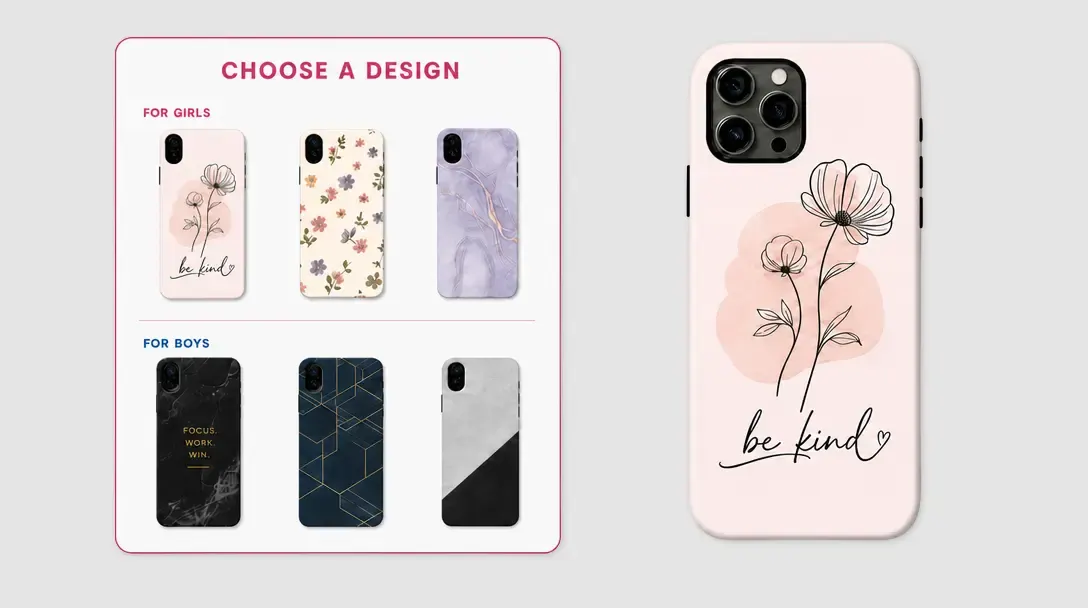
Simplify Customization with the PitchPrint Swatch Module
Apply predefined colors, textures, and patterns to linked design elements through a visual product customization control.
Visual product themes from approved swatches
Do you sell products like Customized leather passport holders, Personalized graduation stoles & Sashes, Custom wedding welcome signs, Custom event tablecloths & Table throws, Personalized coffee mugs with Accent colors, Customized bicycle frame decals, Customized ceramic pet bowls or Personalized christmas stockings? If you want to offer multiple color themes or background variations without the headache of creating separate design files for each option, the PitchPrint Swatch Module is exactly what you need.
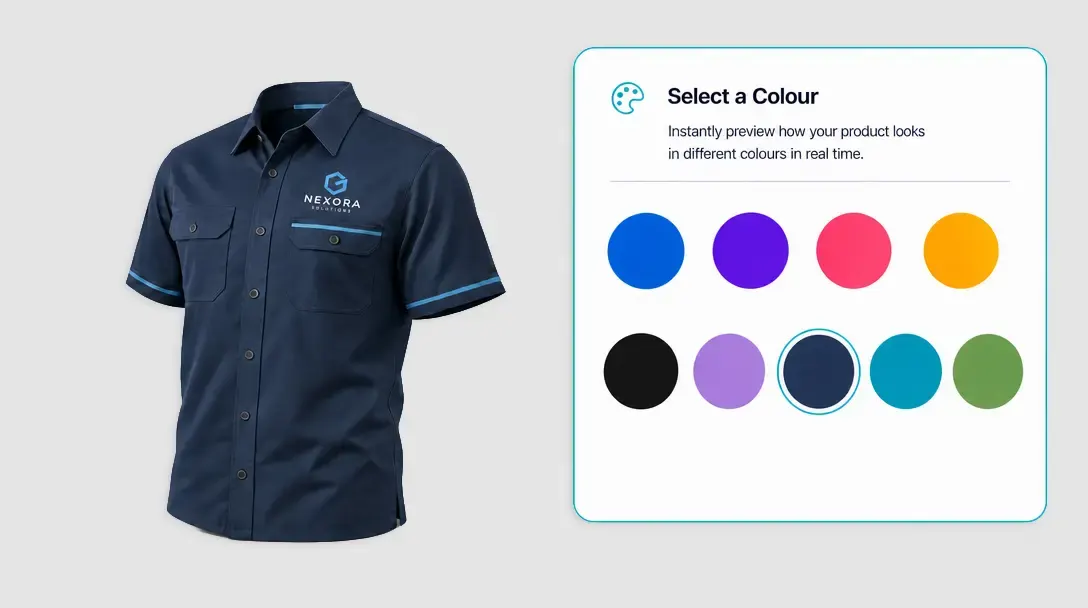
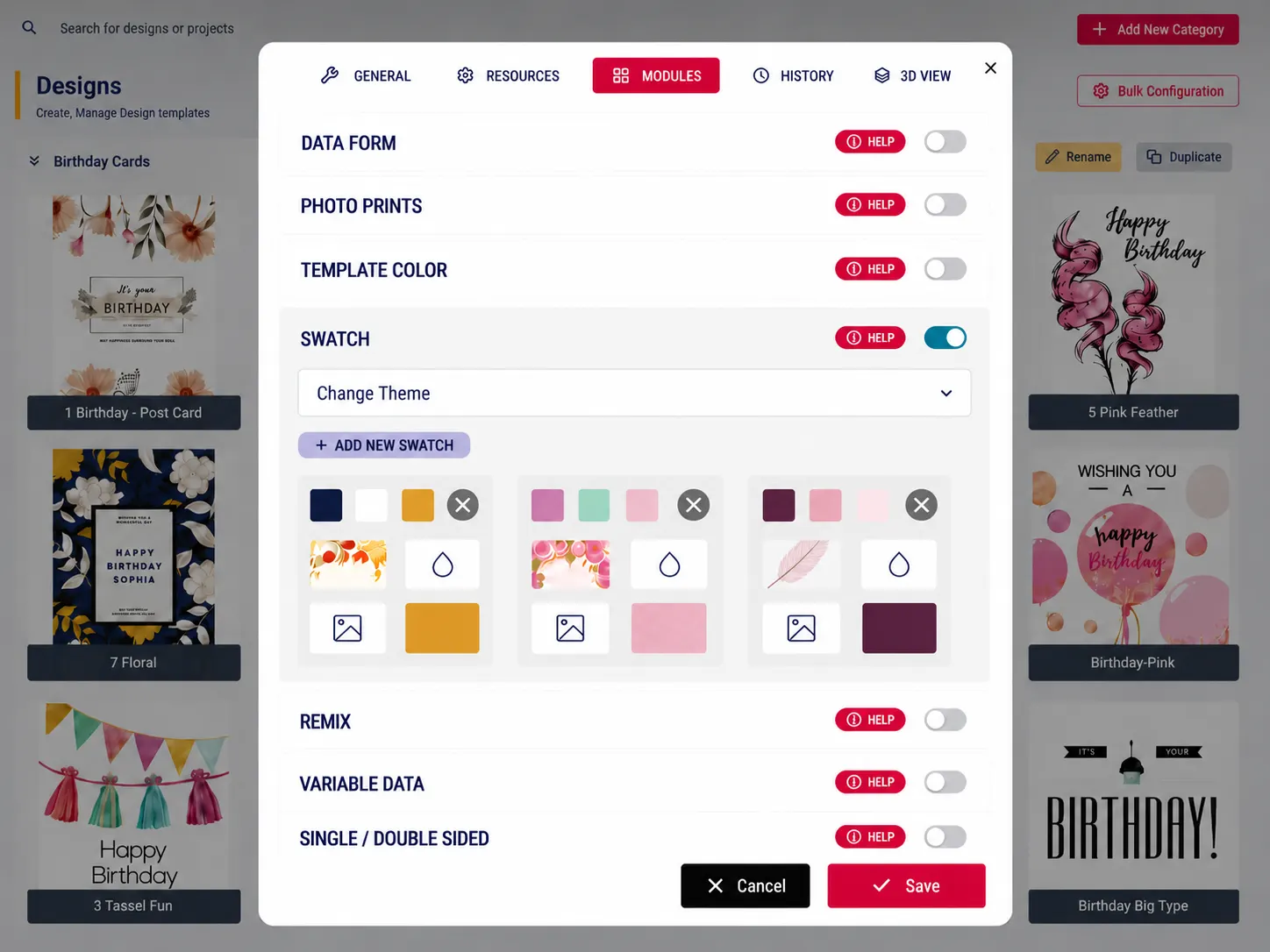
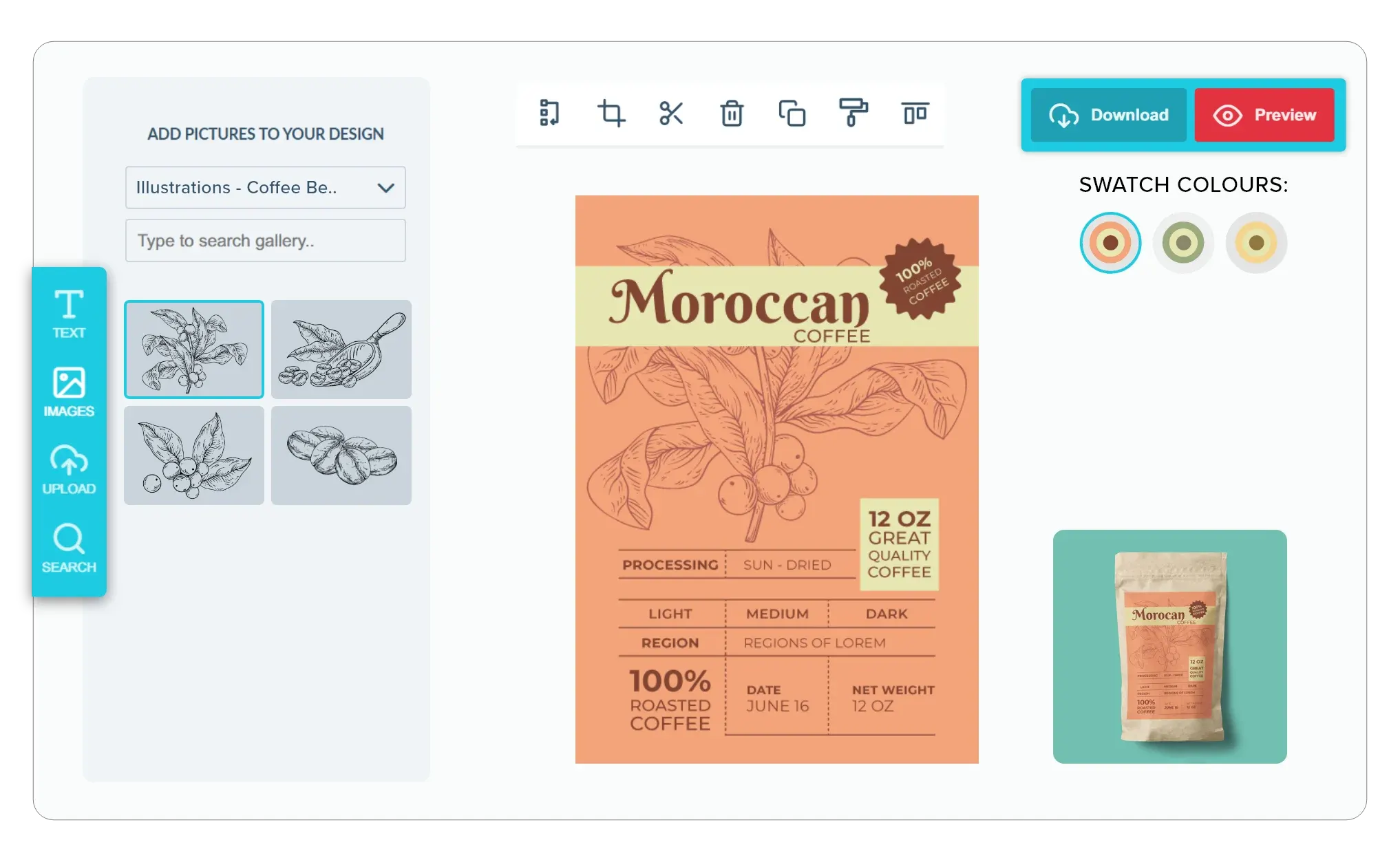
Instead of forcing your customers to browse separate listings or redesign layouts from scratch, this module lets them change color palettes and background images with a single click inside the editor.
Built for products where
photo uploads define the order
Personalized Graduation Stoles & Sashes: Recolor custom graduation stoles to match academy themes.
Custom Wedding Welcome Signs: Adapt wedding welcome signs to match venue colors.
Custom Event Tablecloths & Table Throws: Adjust logo colors on custom event tablecloth designs.
Customized Ceramic Pet Bowls: Recolor text to contrast with custom pet bowls.
Personalized Christmas Stockings: Swap embroidery threads to match holiday stocking themes and many more products...
Swatches connected
to template elements
-
Consolidate Your Variations
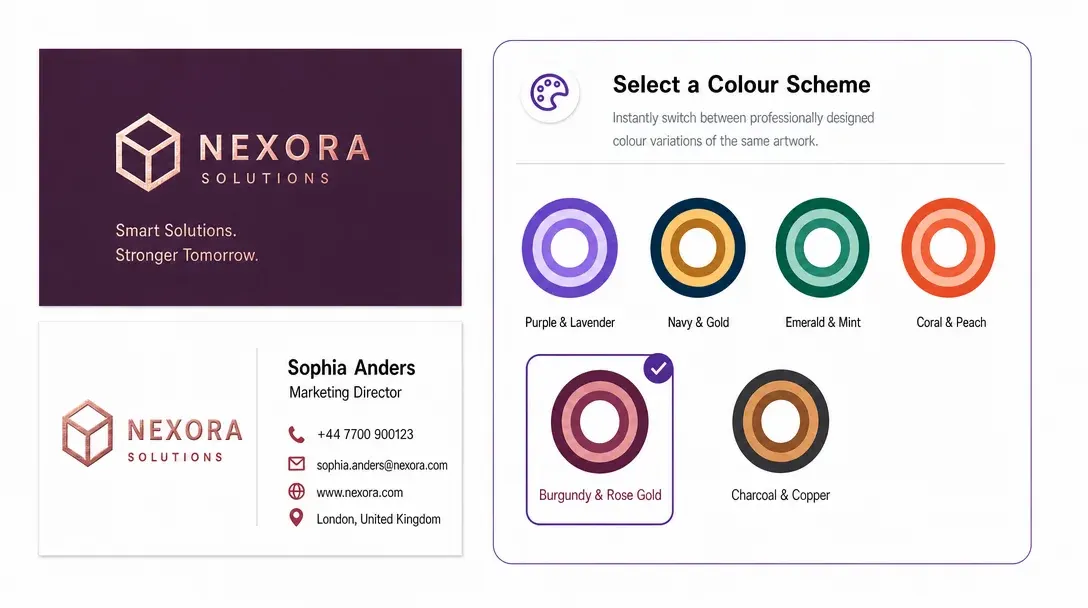
Keep your design library organized. Instead of duplicating a layout just to offer light and dark modes or alternative color combinations, you can link multiple theme variations to a single product template.
-
Link Elements with Ease
Take total control of your layout. You can easily link text, shapes, and backgrounds to specific swatch keys, so they all adjust dynamically and harmoniously when a customer selects a new theme.
-
Live Product Page Previews
Enhance buyer confidence. When a user selects a swatch theme on your product page, the preview image automatically updates to show the selected color mode before they even launch the editor.
-
Faster Checkout
By simplifying color selection, you remove design hesitation. When customers can switch themes instantly and see how their text and logos look on different backgrounds, they are much more likely to complete their purchase.
Approved options
made easy to choose
Swatch Module keeps product personalization visual, controlled, and consistent.
- See
Visual choices
Swatch selection is quick to understand and easy to compare.
- Only
Approved options
Brand colors, materials, and patterns stay under store control.
- Easy
Simpler personalization
Customers apply a complete theme with a simple selection.
- Same
Consistent textures
Linked elements receive patterns and shades in a coordinated way.
Set up Swatch Module
Review swatch linking guidance or start adding approved pattern and color choices.
View Documentation
Full API reference, integration guides, and code examples for developers.
Try It For Free
Spin up a free account and test this feature on your own products in minutes.
Create Your Account
No credit card required. Start customizing products in minutes.
FAQ
Swatch Module questions
What does the Swatch Module do?
Apply predefined colors, textures, and patterns to linked design elements through a visual product customization control.
How does the Swatch Module work?
The PitchPrint Swatch Module lets customers switch between predefined color themes, textures, and background variations for products like passport holders, graduation stoles, wedding signs, and coffee mugs, all with a single click inside the editor. This removes the need to create and browse separate design files or listings for each color option.
Who should use the Swatch Module?
Swatch Module keeps product personalization visual, controlled, and consistent.