
Simplify Customization with the PitchPrint Shuffle Module
Create a faster mobile customization flow by automatically rearranging design styles, images, and page order.
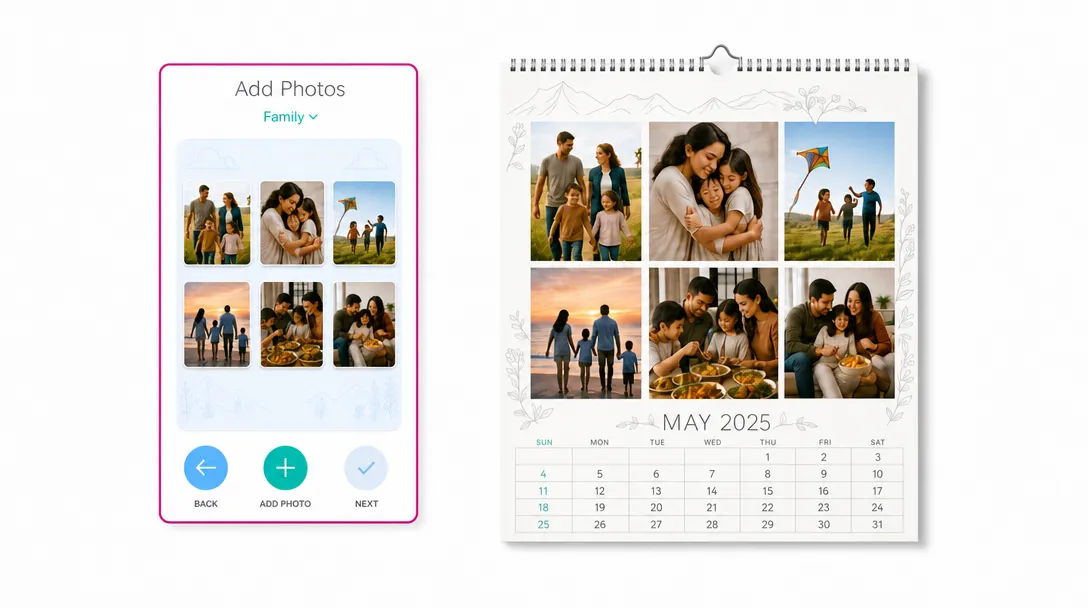
Mobile-friendly layout changes
without manual editing
Do you sell products like Custom pet photo books, Personalized birthday party albums, Custom accordion photo cards, Custom graduation photo books, Personalized memorial photo albums, Custom grid photo magnets or Personalized anniversary memory books? If you want to offer photo arrangement options on mobile devices without navigating a complex desktop editor, the PitchPrint Shuffle Module is exactly what you need.
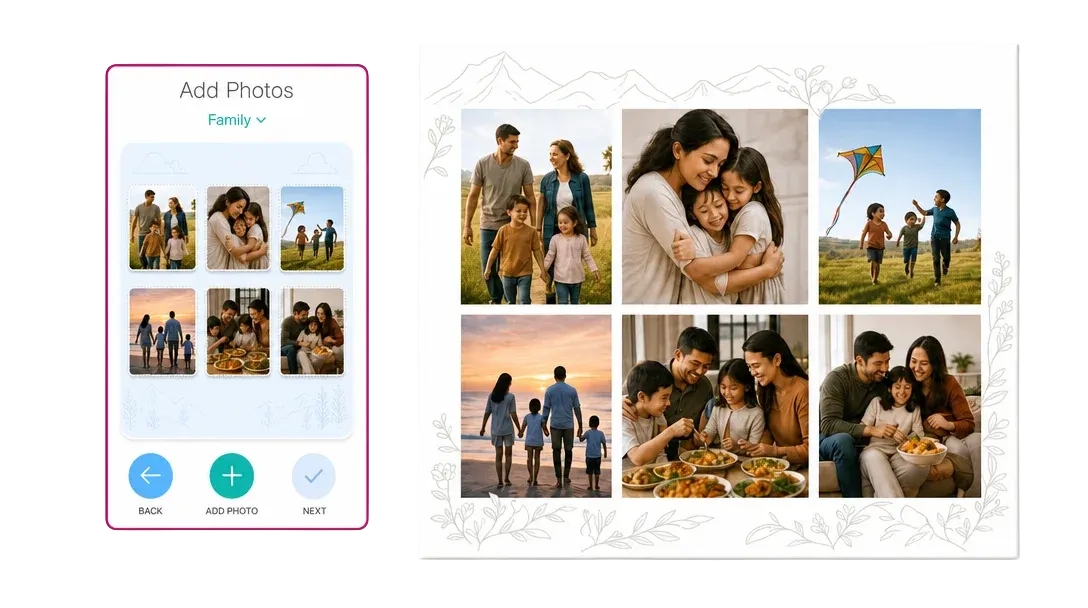
Instead of forcing users to drag and drop images on a small phone screen, this module provides a simple, clean card system that lets them pick their photos, choose their layout style, and shuffle images into place instantly.
Built for products where
photo uploads define the order
Personalized Birthday Party Albums: Rearrange party snapshots across custom birthday memory books.
Custom Accordion Photo Cards: Shuffle photo layouts inside custom folded greeting cards.
Custom Graduation Photo Books: Swiftly organize school photos into custom graduation yearbooks.
Personalized Memorial Photo Albums: Gather remembrance snapshots into custom family memorial books.
Custom Grid Photo Magnets: Rearrange grid pictures across custom magnetic photo sheets and many more products...

Select content,
shuffle variations
-
Designed Specifically for Mobile Devices
Capture the massive mobile-shopping market. This layout replaces the desktop editor with a clean, touch-friendly wizard built to work smoothly on handheld screens.
-
Simple Step-by-Step Process
Keep user friction low. Customers are guided through a clear flow: they select their photo source, pick their favorite images, and shuffle those images into pre-defined layout formats.
-
Offer Alternative Styles Instantly
Give your customers visual options. Users can easily toggle between different page styles and design layouts to find the exact presentation that suits their photos.
-
Faster Checkout on Handheld Screens
Mobile users want speed. By removing the need to pinch, zoom, or manually align individual elements on a tiny phone screen, customers can build multi-photo layouts in minutes and complete their orders.
Faster layout exploration
on smaller screens
Shuffle Module helps customers explore alternatives quickly without needing detailed design control.
- Fast
Mobile customization
Customers can create and preview layouts more quickly on phones and tablets.
- More
Creative exploration
Shuffling encourages customers to try different arrangements before ordering.
- Easy
Non-designer editing
Customers can get polished variations without manually adjusting complex layouts.
- Flow
Simpler product setup
Photo-heavy and multi-page products become easier to customize from a small screen.
Set up Shuffle Module
Review shuffle workflow guidance or start testing mobile layout variations on your products.
View Documentation
Full API reference, integration guides, and code examples for developers.
Try It For Free
Spin up a free account and test this feature on your own products in minutes.
Create Your Account
No credit card required. Start customizing products in minutes.
More modules
for layout workflows
-
Remix Module
Automatically fill custom mask shapes with customer photos to generate layout variations.
Learn more -
Photo Print Module
Streamline photo uploads, paper options, quantities, and styled print workflows.
Learn more -